Australian fast-food favourites
Bundled references include selected items from Maccas, Guzman y Gomez and Grill’d. Check the item and serve, then edit before logging. Menus and recipes change; review the reference estimate before logging.


Food tracking, with Australian references · Free to download for iPhone and Android
From a flat white to dinner at home: Australian food references, selected fast-food favourites and your own recipes. Describe a meal, take a photo or scan a label. Review the editable nutrition estimate, then save it to your diary. Choose calories or kilojoules (kJ).


Hosted estimates need an internet connection and separate Cloud AI permission. Free hosted use is limited; Pro expands the allowance. Manual, catalogue and saved-food logging stay available offline.
Made for the way you eat
Bundled references include selected items from Maccas, Guzman y Gomez and Grill’d. Check the item and serve, then edit before logging. Menus and recipes change; review the reference estimate before logging.
Find Australian reference foods, save your usual meals and view energy in kilojoules (kJ), calories or both. Choose your food region when eating elsewhere, including US references. In New Zealand or elsewhere, you can still use your own saved meals and review estimates; reference availability varies by region.
Build recipes, set the serves and keep track of cooked batches and leftovers. Add Pro for editable weekly meal plans and shopping lists that fit the serves you need.
Most people don’t quit tracking because they stopped caring. They quit because logging a sandwich took longer than eating one.
How it works
You do not need exact grams, a perfect photo, or a clean meal name. You just need enough detail for the app to make a useful first pass.
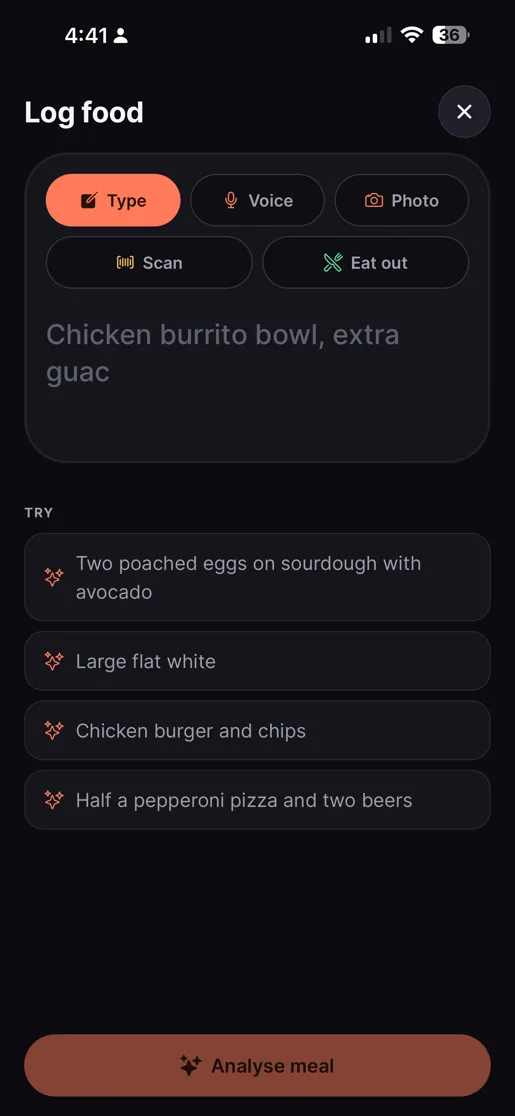
Snap the plate, scan a barcode, speak naturally, or type something rough like “two poached eggs on sourdough with avocado”.
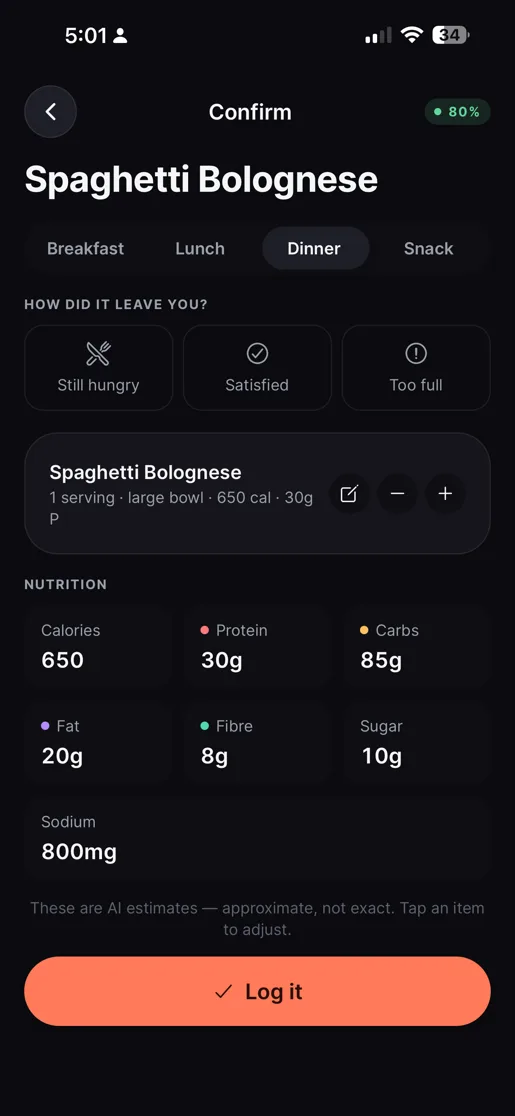
Review calories, protein, carbs, fat, fibre, sugar, sodium, portions, and a confidence level before it touches your diary.
Fix anything that looks off, then save. Corrections, favourites, and your usual foods make the next log quicker.
See it in action
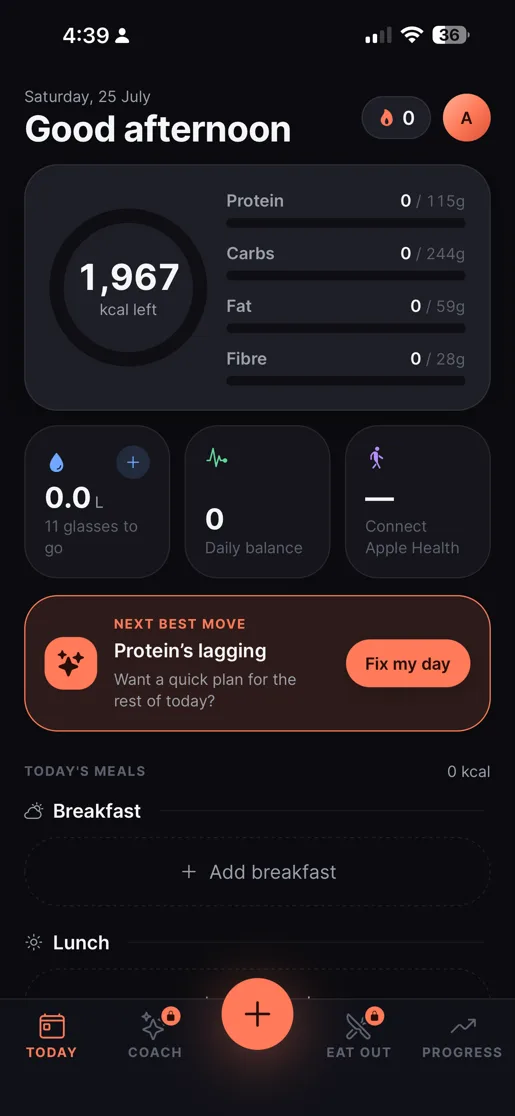
Every screen is built for five-second comprehension — from the daily glance to eating out, coaching, and long-term progress.
Log food
Hands full? Speak it. Packet in front of you? Scan it. Menu you have never seen? Eat out mode. The app meets the meal where it actually happened.
Confirm
JustAte shows its estimate, its confidence, and the assumptions behind it — then waits. Change the portion, edit an ingredient, or bin it entirely. Your diary only ever holds numbers you agreed to.
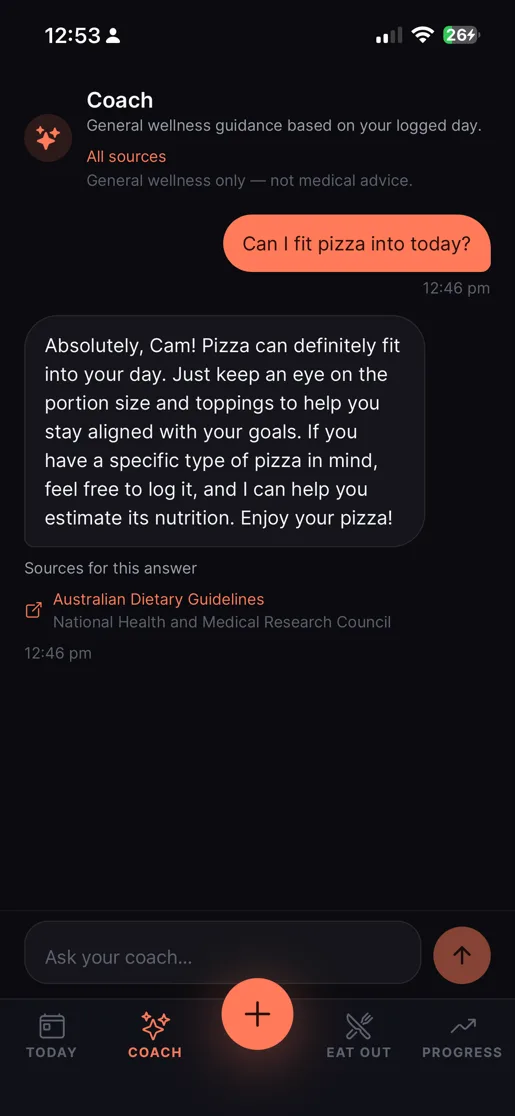
Coach
Coach reads the day you have actually logged and answers in plain language — no lectures, no cheat days, no moral scoring of a slice of pizza. Answers cite the guidance they draw on, and stay clearly on the general-wellness side of the line.
Progress
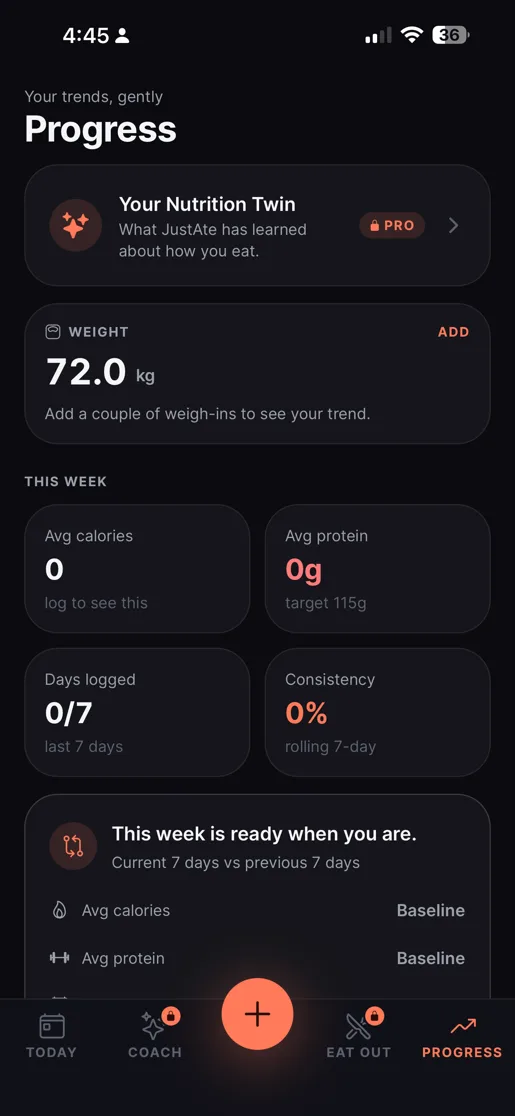
One heavy dinner is not a failed week. Progress shows the shape of how you actually eat, so a bad Tuesday reads as a data point instead of a reason to delete the app.
Why it is different
It helps when the meal is homemade, from a cafe, half-finished, shared, changed, or hard to describe exactly.
The app guesses, then asks you to confirm. Edit the meal before it ever counts.
Saved corrections, favourites, and recent meals cut the typing every time you repeat a meal.
Food is information, not punishment. There are no cheat days here — misses are just comebacks.
Logging starts locally and syncs later, so a bad connection never blocks the diary.
The difference
The point is not just faster AI. It is a food diary that learns your regular meals, your edits, your goals, and the way you actually eat.
Privacy
Cloud AI is not switched on behind your back. Before the first request, JustAte names the provider, lists what may be shared, and asks for separate permission — and you can withdraw it later in Settings.
Decline Cloud AI and local or offline food logging still works. Permission can be withdrawn at any time.
We do not use tracking data for third-party advertising, and this website runs no analytics, ad scripts, or cookies.
Export your meal history as a CSV, or delete your account and data, from inside the app’s own Settings.
Read the full Privacy Policy or manage your privacy choices.
Pricing
Logging should not feel taxed. Build a useful food memory for free, and add Pro for planning and expanded hosted tools.
A complete food diary that gets faster the more you use it.
Monthly or annual auto-renewable subscription. Your app store shows the current price, billing period, offer eligibility, and renewal terms before you buy.
JustAte is for adults aged 18 and over and is not medical advice. Nutrition outputs are estimates and should be reviewed before you rely on them. Subscriptions renew automatically until cancelled in the app store account used to purchase.
FAQ
The lowest-friction, least-judgemental way to understand what you eat — free on the App Store and Google Play.
Available on iPhone (iOS 15.1 or later) and Android. For adults aged 18 and over.